


Key Takeaways
- A written security policy specific to remote legal staff is the foundation. Without it, tools and training have no standard to enforce.
- The right tool stack for virtual legal staff covers five categories: authentication, password management, secure access, endpoint protection, and encrypted communication.
- Security training for virtual legal staff should be short, recurring, and scenario-based. Annual all-hands sessions do not work.
- ABA Model Rules 1.1, 1.6, and 5.3 all apply to remote staff. Your confidentiality obligations do not stop at your office door.
- A Pre-Vetted virtual legal staff provider builds security compliance into placement, which means fewer gaps to close on day one
Protecting your law firm when working with virtual legal staff comes down to three things: written policies that set the standard, tools that enforce it, and training that makes it stick.
Most law firm cybersecurity advice is written for IT departments and general office environments. Virtual legal staff introduces specific risks that generic advice does not address: remote endpoints you do not control, home networks without enterprise-grade protection, and staff who may not have worked in a legally regulated environment before.
This guide gives you the actual framework. What policies to write, which tools to deploy across five security categories, and how to run training that changes behavior for the virtual legal staff on your team.
Why Security for Virtual Legal Staff Requires a Deliberate Framework
Law firms are one of the most targeted industries for cyberattacks. The combination of sensitive client data, financial transactions, and deadline pressure makes them attractive to attackers who know a firm under pressure is more likely to pay a ransom or comply with a fraudulent wire transfer request.
Remote legal staff expands that risk surface in specific ways. Every endpoint your virtual legal assistant uses, every platform they access, and every file they handle is a potential entry point. That does not mean remote staffing is inherently risky. It means the structure around it has to be intentional.
The firms that experience breaches involving remote staff almost always share one characteristic: they treat security as something to address later, after hiring. The firms that do not have those incidents built the framework first.
The framework has three parts, and they work in sequence. Policies define what is required. Tools make the requirements technically enforceable. Training ensures your staff understands and follows both.
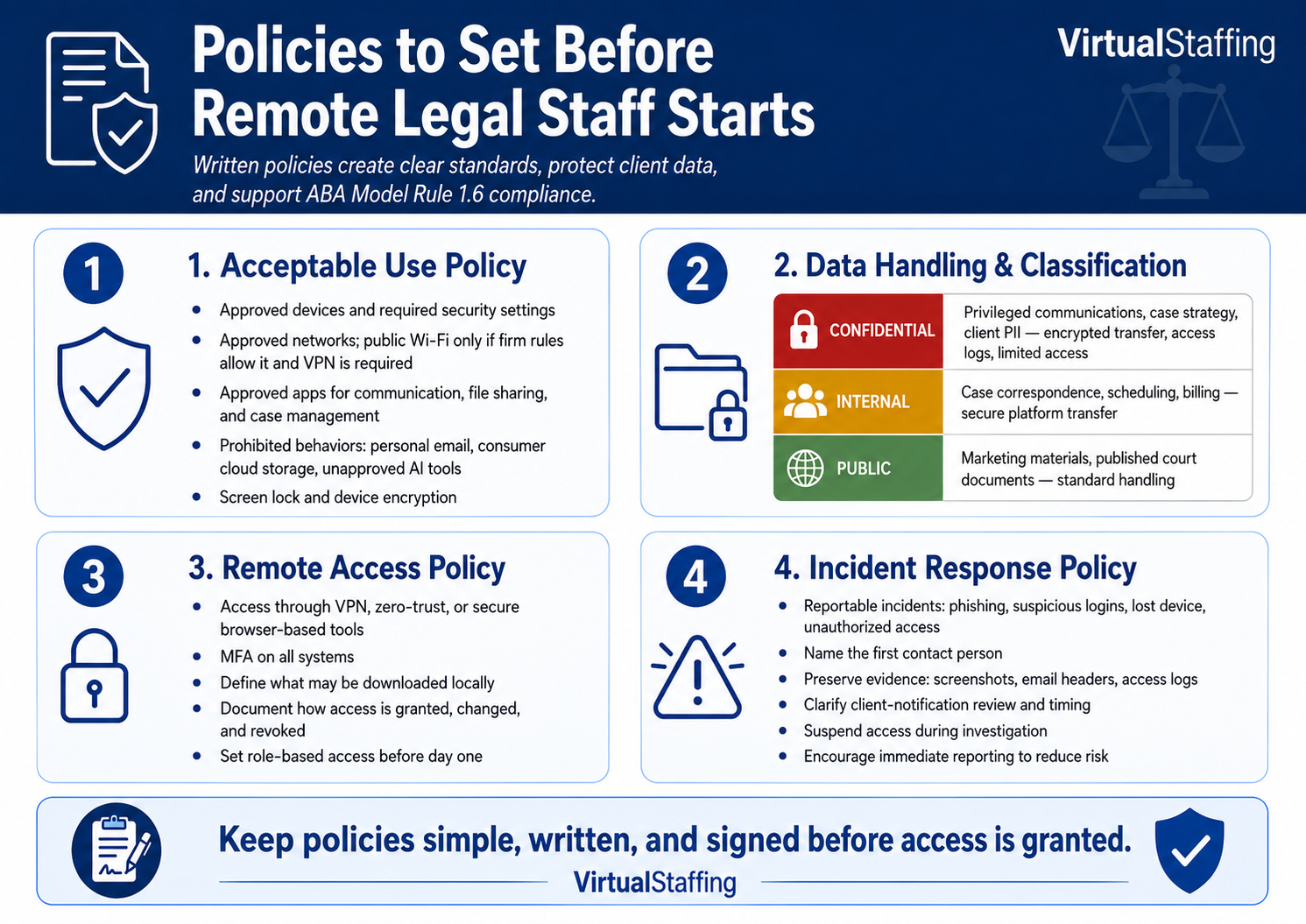
The Policies Your Firm Needs Before Remote Legal Staff Starts
A policy is a written standard. It tells your virtual legal staff what is expected, what is permitted, and what happens when something goes wrong. Without written policies, you have no baseline to train against, no standard to enforce, and no documentation that you took reasonable steps under ABA Model Rule 1.6.
Four policies matter most for firms working with virtual legal staff.
Acceptable Use Policy
The acceptable use policy (AUP) covers what devices, networks, applications, and behaviors are permitted when accessing firm systems or handling client data.
At minimum, your AUP for virtual legal staff should address:
- Approved devices: personal devices, firm-provided devices, or both, and what security configuration each must meet
- Approved networks: whether home networks are acceptable, whether public Wi-Fi is permitted, and whether a VPN is required
- Approved applications: which platforms your staff may use for communication, file sharing, and case management
- Prohibited behaviors: specific things that are never allowed, such as forwarding client documents to personal email, storing case files in consumer cloud storage, or using AI tools not approved by the firm
- Screen and device security: automatic screen lock requirements and device encryption standards
The AUP does not need to be lengthy. A clear, two-page document that your virtual legal staff signs before access is granted gives you a documented standard and puts them on notice before they ever log in.
Data Handling and Classification Policy
Not all data your firm holds carries the same sensitivity. A data classification policy tells your virtual legal staff how to handle different types of information and what protections each category requires.
A three-tier classification works for most small and mid-size firms:
- Confidential: attorney-client privileged communications, case strategy, settlement details, personally identifiable client information. Requires encrypted transfer, access logging, and role-limited access.
- Internal: general case correspondence, scheduling information, billing records. Requires secure platform transfer.
- Public: marketing materials, published court documents, general firm information. No special handling required.
When your virtual paralegals and legal assistants handle document intake, file organization, or client communications, they need to know which category applies and what that means for how they handle the information. A classification policy makes that unambiguous.
Remote Access Policy
The remote access policy defines how your virtual legal staff connects to your firm's systems and what that access is permitted to include.
Core elements to cover:
- Whether staff connect through a VPN, a zero-trust access solution, or directly through browser-based case management tools
- Which systems require MFA (the answer should be: all of them)
- What data staff may download locally versus what must remain in cloud-based platforms
- How access is granted, modified, and revoked when roles change or staff departs
The remote access policy is also where you document role-based access control: which staff member has access to which systems, at what permission level, and when that access is reviewed. Document this before day one, not after.
Incident Response Policy
An incident response policy tells everyone what to do when something goes wrong. For virtual legal staff, the most important element is a clear, simple escalation path: if something looks suspicious, here is exactly who to contact and what to do next.
Your incident response policy should include:
- What counts as a reportable security incident (phishing attempt received, unusual login activity, missing device, suspected unauthorized access)
- Who your virtual legal staff contacts first (a named person, not just a department)
- What information to preserve (screenshots, email headers, access logs)
- Who handles client notification assessment and when that clock starts
- How access is suspended pending investigation
Most breaches involving remote staff are not discovered in real time. They are discovered days or weeks later. A policy that tells your staff to report suspicious activity immediately compresses that discovery window significantly.
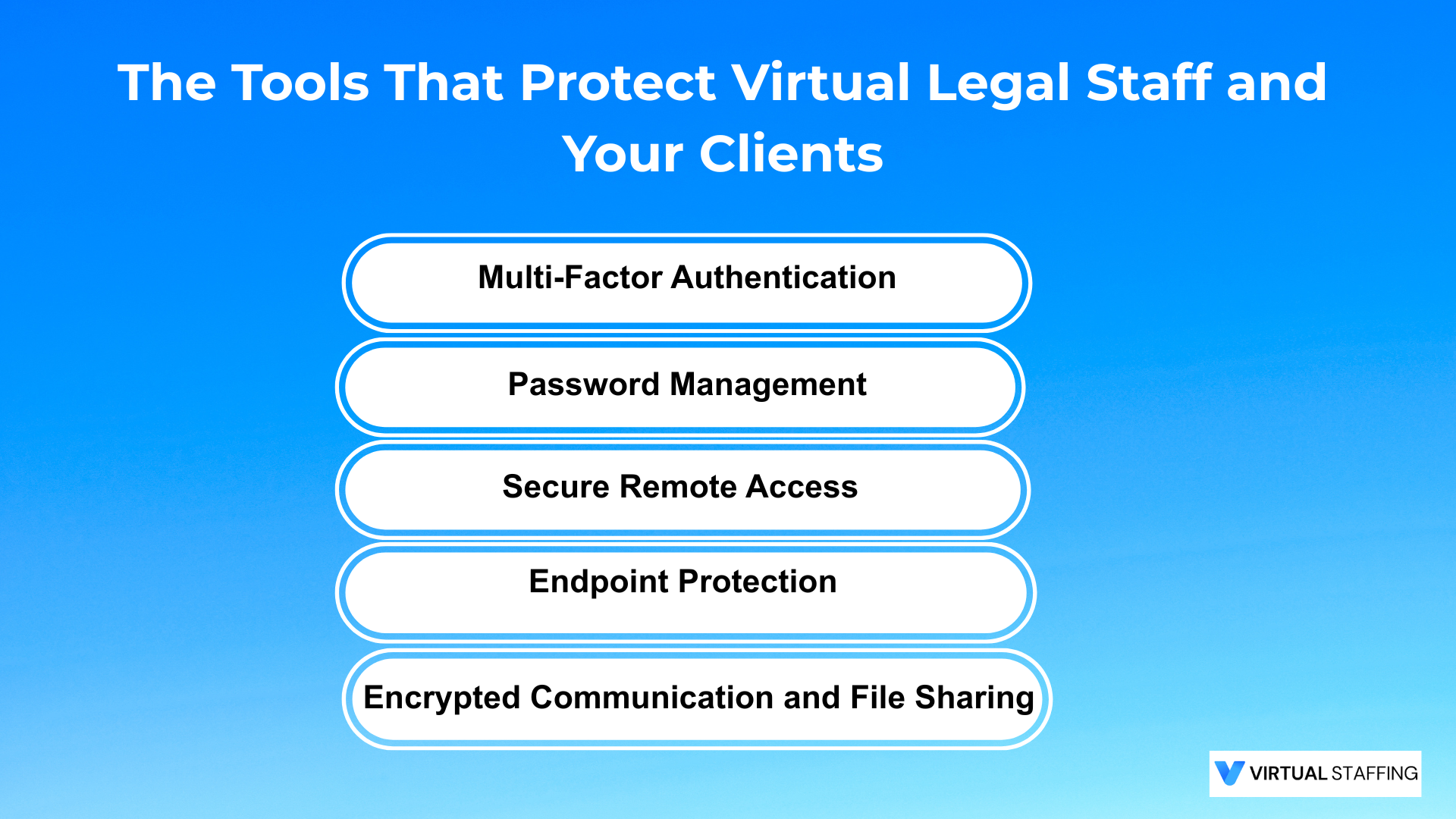
The Tools That Protect Virtual Legal Staff and Your Clients
Policies set the standard. Tools enforce it. The right tool stack for a law firm working with virtual legal staff covers five categories. You do not need a different tool in every category, but you need coverage in each.
Category 1: Multi-Factor Authentication
MFA is the single highest-impact control in your stack. It prevents credential-based attacks from succeeding even when a username and password have been compromised.
Every account your virtual legal staff accesses should require MFA: your case management platform, your email system, your document management system, your billing software, and any cloud storage you use for case files. No exceptions.
Use an authenticator app (Google Authenticator, Microsoft Authenticator, or Duo) rather than SMS codes. SMS verification can be intercepted through SIM-swapping, which has specifically targeted legal professionals in recent years.
Category 2: Password Management
Strong, unique passwords for every account are a basic security requirement, and they are impractical without a tool to generate and store them. A password manager solves both problems.
Firm-managed password management tools (1Password Teams, Bitwarden for Business, Keeper) let you issue credentials to virtual legal staff, control which accounts they can access, and revoke access instantly when someone leaves. This is significantly more secure than staff using personal password managers or reusing passwords across accounts.
Category 3: Secure Remote Access
How your virtual legal staff connects to your systems determines how much of your network they can expose.
Two options work well for most law firms:
- VPN: creates an encrypted tunnel between your staff member's device and your firm's network. Good for firms with on-premises servers or file shares. Requires ongoing management.
- Browser-based access through your case management platform: tools like Clio, MyCase, and Filevine are designed for remote access and do not require staff to connect to your internal network at all. Combined with MFA, this is often the simpler and more secure option for small and mid-size firms.
Whatever approach you choose, document it in your remote access policy and make sure your virtual legal staff follows it consistently.
Category 4: Endpoint Protection
Every device your virtual legal staff uses to access firm systems should have active endpoint protection running. This means a managed security solution, not the free consumer antivirus that came pre-installed.
Key requirements:
- Current operating system (no end-of-life versions of Windows or macOS)
- Active, managed endpoint detection and response (EDR) software
- Full-disk encryption enabled (BitLocker for Windows, FileVault for macOS)
- Automatic screen lock configured for 5 minutes or less of inactivity
For higher-sensitivity work, consider issuing firm-managed devices to your virtual legal staff. The cost is modest compared to the cost of a breach.
Category 5: Encrypted Communication and File Sharing
Client documents and case information should never travel via personal email, consumer messaging apps, or unencrypted file transfer tools. Your virtual legal staff needs approved, encrypted channels for all firm-related communication.
The goal is to keep all client-related communication inside platforms your firm controls, not scattered across personal accounts your staff happens to use.
Virtual Staffing's candidates work inside your existing platforms and are trained to use only approved channels for client data. Every placement meets HIPAA-compliant data standards before their first day of work.
How to Train Virtual Legal Staff on Cybersecurity
Policies and tools create the structure. Training is what determines whether your virtual legal staff actually follows it.
Most law firm security training fails for the same reason: it is infrequent, generic, and delivered in formats no one retains. A 90-minute annual webinar covering everything from password hygiene to insider threat theory is not training. It is a checkbox.
Effective security training for virtual legal staff has three characteristics: it is short, it is recurring, and it is tied to real scenarios your staff will actually encounter.
What Training Should Cover
Focus your training on the threats your virtual legal staff is most likely to face, in the context of legal work.
Phishing recognition: Show real examples of phishing emails that have targeted law firms. Explain the specific cues that distinguish them from legitimate correspondence: spoofed sender addresses, urgency language, and unexpected attachment requests. AI-generated phishing in 2026 is polished. Train your staff to verify unusual requests through a second channel, not just by reading the email carefully.
Business Email Compromise (BEC): Explain how BEC works. An attacker gains access to a firm email account, monitors communication patterns, then impersonates a partner or client to redirect a payment or obtain credentials. Any virtual legal staff who handles billing, wire confirmations, or payment correspondence needs a specific rule: payment instruction changes are always verified by phone before any action is taken.
Data handling in practice: Walk through the firm's data classification policy using real task scenarios. "When a client sends a signed retainer by email, where does it go and how?" is a more useful training question than a slide about data classification categories. Apply the policy to the actual work your staff does.
Incident reporting: Make the escalation path concrete and easy to remember. One contact name, one phone number, one instruction: if it looks suspicious, stop and call before doing anything else. The instinct to handle it quietly or wait to see if it was a false alarm is what turns a caught phishing attempt into a confirmed breach.
How to Structure Ongoing Training
Short and frequent outperforms long and annual for security awareness. A practical structure for virtual legal staff:
- Monthly micro-lessons: 5 to 10 minutes covering one specific threat or scenario. Delivered via email, short video, or your team messaging platform. Focus on something that happened recently in the legal industry when possible.
- Quarterly phishing simulations: Send a simulated phishing email to your virtual legal staff and track who clicks. This is not about catching people. It is about identifying who needs more support and demonstrating that threats look realistic. Tools like KnowBe4 or Proofpoint Security Awareness make this straightforward to run.
- Annual policy review: Once per year, walk through your acceptable use policy, data handling policy, and remote access policy with your full virtual staff team. Update them based on any incidents or near-misses from the previous year.
What to Expect from Phishing Simulations
The first time you run a phishing simulation, a meaningful percentage of staff will click the link. This is normal. It reflects the quality of modern phishing campaigns, not a failure of your team.
Use the results constructively. Anyone who clicked gets a short, specific follow-up lesson on what the simulation email contained and what the warning signs were. Track results over time. The firms that run simulations consistently find that their virtual legal staff become active participants in security, forwarding suspicious emails for review rather than ignoring them, because they have developed the habit of paying attention.
The ABA Rules That Govern All of This
Cybersecurity for virtual legal staff is not just a risk management decision. It is an ethical obligation.
Rule 1.1 (Competence) requires attorneys to maintain the legal knowledge and skill necessary for competent representation. The ABA's interpretation explicitly includes technological competence. An attorney who does not understand what security controls apply to their remote staffing arrangement is not meeting this standard.
Rule 1.6 (Confidentiality) requires reasonable efforts to prevent unauthorized disclosure of client information. The 2012 amendment extended this to the systems and devices used in practice. When a virtual legal staff member accesses your case files on an unprotected home device, your Rule 1.6 obligation is the one at issue if that device is compromised.
Rule 5.3 (Supervision of Nonlawyer Assistance) requires reasonable efforts to ensure that nonlawyer staff conduct is compatible with your professional obligations. This applies to remote staff exactly as it applies to in-office staff. Geographic distance does not reduce supervision requirements.
Written policies, a documented tool stack, and a training log are not just good security practice. They are the paper trail that demonstrates you took reasonable steps if a breach is ever investigated. The Clio 2026 Law Firm Data Security Guide provides a practical framework for mapping these obligations to specific controls.
What to Look for in a Security-Ready Provider
If you hire virtual legal staff through a provider, the provider's security practices are part of your risk profile. Ask specific questions before signing anything.
A provider that cannot answer these questions with specifics is a gap in your security framework before your new hire logs in for the first time.
Build the Foundation Before You Need It
The firms that handle virtual legal staff security well are not the ones with the most sophisticated IT infrastructure. They are the ones that wrote the policy before something went wrong, deployed the tools before the first login, and trained their staff before the first phishing email arrived.
Those three things are not expensive or technically complex. They are a decision to treat security as part of the staffing process rather than something to address after the fact.
Virtual Staffing connects law firms with Legal-Trained, U.S. Law Experienced virtual legal staff from a Pre-Vetted Talent Pool. Every candidate signs confidentiality agreements before placement, is background-checked, and is trained in legal data handling and security protocols. You still own the framework. We make sure the staff you bring into it starts at the right standard.
Talk to the Virtual Staffing team and find pre-vetted, security-ready virtual legal staff for your firm.

Frequently Asked Questions (FAQs):
What security policies does a law firm need for virtual legal staff?
At minimum: an acceptable use policy covering approved devices and applications, a data handling and classification policy, a remote access policy defining how staff connect to firm systems, and an incident response policy with a clear escalation path. Each should be signed by your virtual legal staff before access is granted.
What tools should law firms use to secure virtual legal staff?
Your tool stack should cover five categories: MFA on all accounts (authenticator app, not SMS), a firm-managed password manager, a secure remote access method (VPN or browser-based case management), active endpoint protection on all devices, and encrypted communication channels for all client-related transfers and messaging.
How often should virtual legal staff receive cybersecurity training?
Monthly micro-lessons (5 to 10 minutes each), quarterly phishing simulations, and an annual policy review is a practical structure. Annual all-hands training alone is not sufficient. Threats evolve faster than a once-per-year training cycle.
Does ABA Rule 1.6 apply when virtual legal staff is located overseas?
Yes. ABA Rule 1.6 requires reasonable efforts to prevent unauthorized disclosure of client information regardless of where support staff is located. The same confidentiality obligations apply to staff in the Philippines or Latin America as to an in-office paralegal.
Can virtual legal staff use personal devices and home networks?
Only if they meet your written endpoint security standards: current OS, active endpoint protection, full-disk encryption, and automatic screen lock. Your acceptable use policy should define the minimum configuration required. Staff who cannot meet those standards should be issued a firm-provided device.
What should a law firm do immediately after a breach involving remote staff?
Suspend the compromised account's access immediately, notify your provider, document which systems and matters the account accessed using audit logs, assess your client and bar notification obligations within 24 hours, and conduct a post-incident review to identify and close the entry point before reinstating any remote access.